メインコンテンツへスキップ

Webページから本文らしき部分を抽出する

さまざまなパターンの日本語文章をデータとして欲しいケースがあったので、指定したURLから本文らしき内容を抽出するスクリプトを書いた。

 1
 2
 3
 4
 5
 6
 7
 8
 9
10
11
12
13
14
15
16
17
18
19
20
21
22
23
24
require 'playwright'
require 'readability'
require 'html2text'

# 指定したURLから本文らしき内容を抽出して返却する
def html2text(url)
  Playwright.create(playwright_cli_executable_path: 'npx playwright') do |playwright|
    playwright.chromium.launch(headless: true) do |browser|
      begin
        page = browser.new_page
        page.goto(url, waitUntil: 'load') 
        doc = Readability::Document.new(page.content)
        sleep 1
        return {:title => page.title, :content => Html2Text.convert(doc.content) }
	  rescue
        return {:title => nil, :content => nil }
      end
    end
  end
end

url = ARGV.shift
doc = html2text(url)
puts "#{doc[:title]}\n#{doc[:content]}"

Javascriptでコンテンツを生成するページに対応するためPlaywrightを使用。

使用したライブラリ
#

関連記事

Obsidianのデイリーノートへ追記するTextwellのアクション

ObsidianのデイリーノートへTextwell から追記するためのアクション。TextwellからObsidianのデイリーノートを書く方法 - Jazzと読書の日々を参考にさせていただき以下の修正を行った。 デイリーノートのディレクトリ構成(YYYY/MM/YYYY-MM-DD.mdとした) 新規作成ではなく追記に変更 1 2 3 4 5 6 7 8 9 10 11 12 13 14 15 16 17 18 19 20 // デイリーノートのルートディレクトリ Root = "journal"; url = "obsidian://"; d = new Date(); y = d.getFullYear(); m = Zero(d.getMonth()+1); // デイリーノートのディレクトリ構成対応(YYYY/MM/YYYY-MM-DD.md) Folder = Root + "/" + y + "/" + m; Title = y + "-" + m + "-" + Zero(d.getDate()); if(Folder) Title = Folder + "/" + Title; if(T.text) url+= "new?content=" + encodeURIComponent("\n") + T.stdin.text + "&file=" + encodeURIComponent(Title) + "&append"; T(url,{option:"cutWhole"}); function Zero(x){ return ("00"+x).slice(-2); }

Textwell

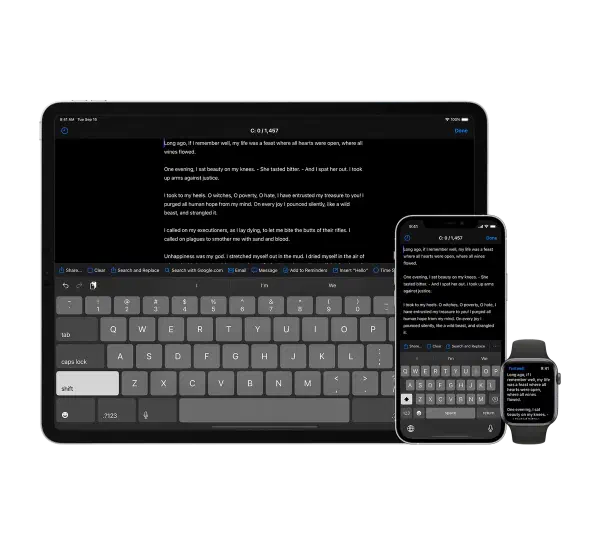
Textwell - The Modeless Textbox for iPhone, iPad, iPod touch, Mac, and Watch. メモ、メッセージ、ブログ、検索、投稿など、あらゆる文章作成タスクに使用できる多目的テキストエディタ ファイリングやスタイリングのための機能はないが、JavaScriptベースのカスタマイズ可能なアクション、自動履歴、クラウド同期などをサポートしており、シンプルで拡張性が高い Mac版、iOS版、AppleWatch版がある Textwell | URL Schemes 自作のアクションなど # ソートして重複行を削除するTextwellのアクション Obsidianのデイリーノートへ追記するTextwellのアクション Amazonから書誌情報をTextwellへ取り込むブックマークレット

2ホップリンク

ホップ数 # flowchart LR B1 & B2 --> A G --> O1 H --> O1 A --> O1 & O2 O2 --> E F --> O2 B1:::hop1 B2:::hop1 O1:::hop1 O2:::hop1 F:::hop2 G:::hop2 H:::hop2 style A fill:#f9f,stroke:#333,stroke-width:4px classDef hop1 fill:#a9a classDef hop2 fill:#f96 ホップ数とは自身から任意のページまでたどり着くまでのリンクの数である。 このようなリンク関係がある場合、ページAから見て、B1 B2 O1 O2は1ホップリンクと呼ばれる。 2ホップリンクの意味 # このため、上記のリンク関係で言えば、ページAから見たG H E Fは2ホップリンクとなる。 Scrapboxでは2ホップリンクの内、アウトゴーイングリンクのページへリンクしているページ、つまり、 AからリンクしているO1へリンクしている Gと H AからリンクしているO2へリンクしている F を関連リンクとして表示している。これは、 A→C, B→Cというリンクが存在するとき、AとBの間にはなんらかの関連があると考えてよい。 「和歌山」→「みかん」、「愛媛県」→「みかん」 ならば「和歌山県」と「愛媛県」はみかんつながりになっているわけだし、 「増井」→「Rubyプログラミング」、「高林」→「Rubyプログラミング」 ならば「増井」⇔「高林」は意味がある。 出典: 2ホップリンクの考察 - 増井俊之 上記の考え方に基づく仕様であり、本サイトでもQuartzを拡張し同様の2ホップリンクを表示している(各ページ配下の「関連リンク」) QuartzにScrapbox的な2ホップリンクを追加する Obsidiaのリンク表示 参考情報 # 2ホップリンクの考察 - 増井俊之

指定したWebページをMarkdownへ変換するRubyスクリプト

指定したWebページをMarkdownへ変換するRubyスクリプト require 'reverse_markdown' require 'open-uri' ReverseMarkdown.config do |config| config.unknown_tags = :bypass config.github_flavored = true config.tag_border = '' end def usage puts "usage: #{$0} uri" exit 1 end usage if ARGV.size != 1 html = OpenURI.open_uri(ARGV.shift).read print ReverseMarkdown.convert html

画像ファイルをまとめてリサイズする

RubyからImageMagickを使うためにRMagickで画像を一括してリサイズするスクリプト。Obsidianへ移行したメモに添付されていた画像サイズを圧縮するためにやっつけで作成 require 'RMagick' include Magick MAX_PIXEL = 800 MAX_FILE_SIZE = 300000 ARGV.each do |f| next unless %w(.jpeg .jpg .png .heic .webp).index File.extname(f).downcase size = File.size(f) next if size < MAX_FILE_SIZE img = Magick::Image.read(f).first next if img.columns <= MAX_PIXEL && img.rows <= MAX_PIXEL img.resize_to_fit(MAX_PIXEL, MAX_PIXEL).write(f) puts "#{f}: #{size} -> #{File.size(f)}" end

ソフトウェアアーキテクチャのためのC4モデル

C4モデルとは # ソフトウェアのアーキテクチャを表現するためのモデル。 コンテキスト(context) コンテナ(containers) コンポーネント(components) コード(code) で構成される。 C4モデルは特別な表記法を規定していない。以下、ダイアグラムの図はThe C4 model for visualising software architectureを参考に作成した。 flowchart TD ソフトウェアシステム:::system ソフトウェアシステム --> containerA(コンテナ) ソフトウェアシステム --> containerB(コンテナ) ソフトウェアシステム --> containerC(コンテナ) componentA1:::dot containerA:::dot --> componentA1(コンポーネント) componentA:::dot containerB --> componentA(コンポーネント) containerB --> componentB(コンポーネント) containerB --> componentC(コンポーネント) containerB:::container componentC:::dot componentA2:::dot containerC:::dot --> componentA2(コンポーネント) componentB --> codeA(コード) componentB --> codeB(コード) componentB --> codeC(コード) componentB:::component codeA:::code codeB:::code codeC:::code classDef dot fill:#eef,stroke:#f66,stroke-width:2px,color:#aaa,stroke-dasharray: 5 5 classDef system fill:#faa,stroke:#333,color:#fff,stroke-width:4px classDef container fill:#44f,stroke:#333,color:#fff,stroke-width:4px classDef component fill:#77f,stroke:#333,color:#fff,stroke-width:4px classDef code fill:#aaf,stroke:#333,color:#fff,stroke-width:4px レベル1 システムコンテキスト ダイアグラム # 対象システムが、それを使用する人や関連する他システムとの関係性、どのような位置づけにあるかを図示する。